

Invite-only recognition
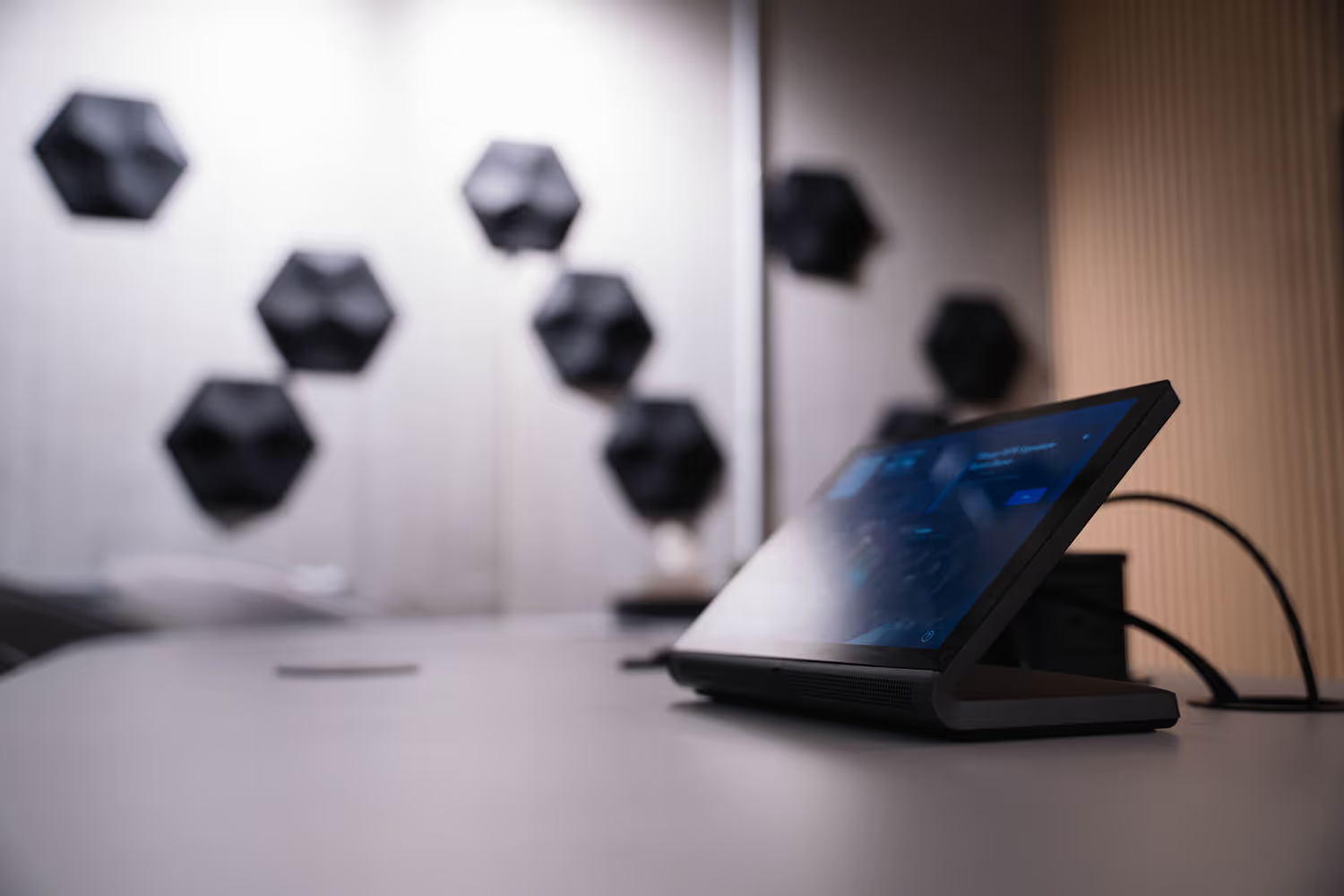
As a Crestron Elite Partner, we have access to exclusive resources, priority support, and advanced training, ensuring we can offer our clients the best possible Crestron experience.
Read the announcement and find out what it means for you.
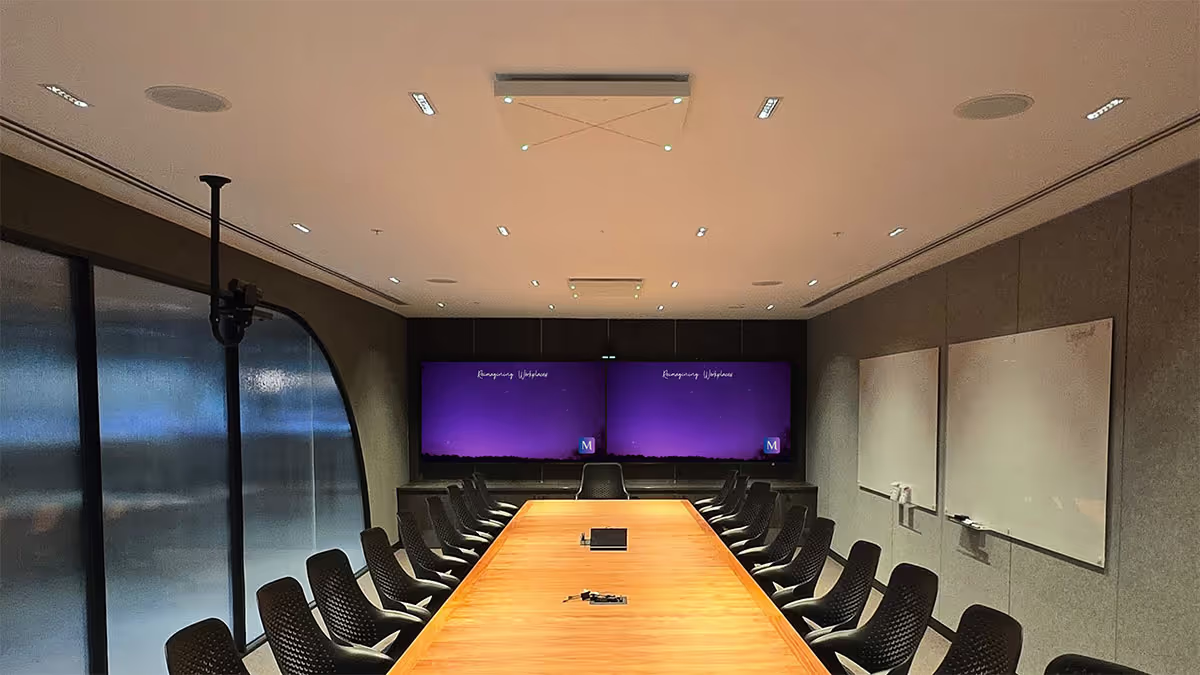
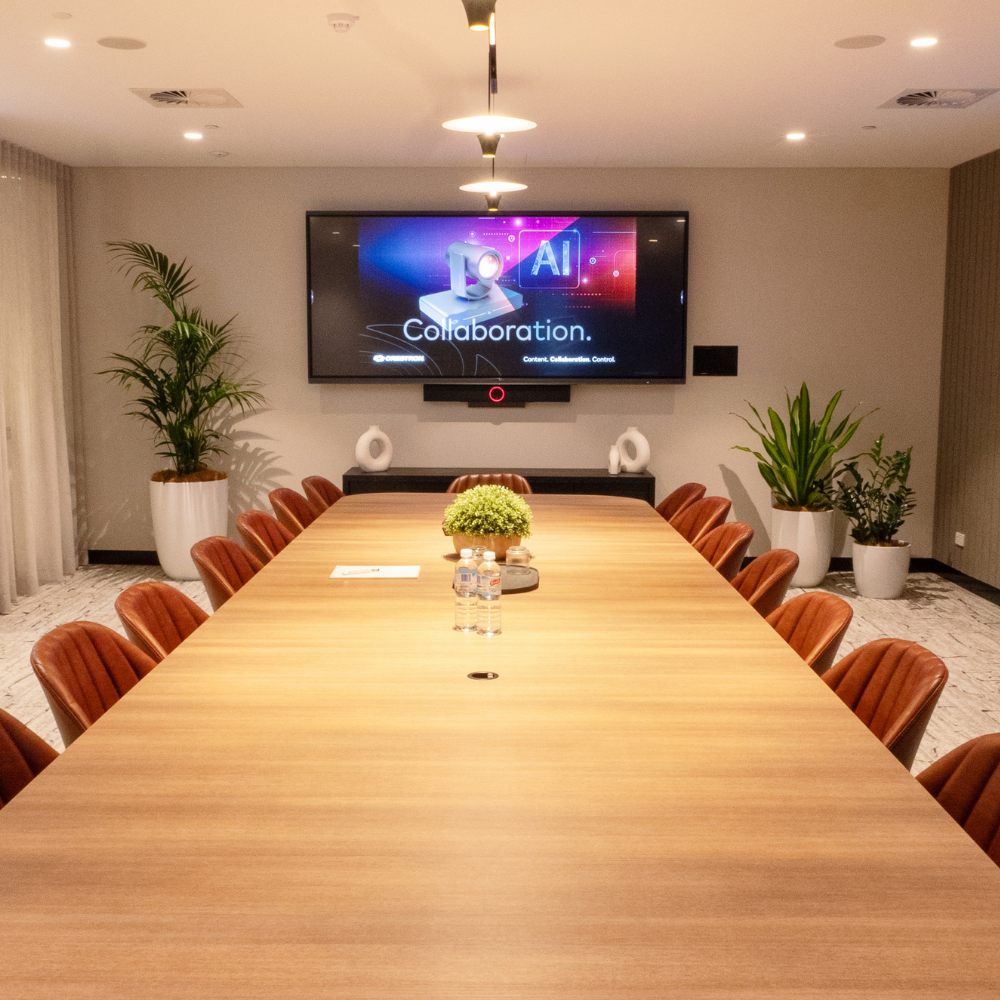
Crestron enterprise solutions help you create workspaces that work for everyone.
Content
Crestron creates robust solutions that can distribute and deliver content from any source to any destination — seamlessly — in boardrooms and classrooms alike, from quarterly reports to lesson plans.
Collaboration
Crestron offers intelligent audio and video solutions that adapt to natural interactions from the smallest conference rooms to the largest virtual classrooms.
Control
Crestron Control unifies diverse systems into cohesive experiences that can respond autonomously, whether starting a presentation or beginning a lecture, integrating every device in a meeting space or smart classroom.


View our project gallery to see more Crestron projects we've delivered.
Resources
Explore our collection of whitepapers, brochures and resources to gain deeper insights into Crestron's innovative solutions.
Product Spotlight
Discover Crestron's bestselling range of meeting room technology, designed to work no matter your room type or size.
Cameras
Medium Rooms
Large Rooms

UC-B70-A-T-I
Crestron Videobar 70 All-in-One Collaboration Bar
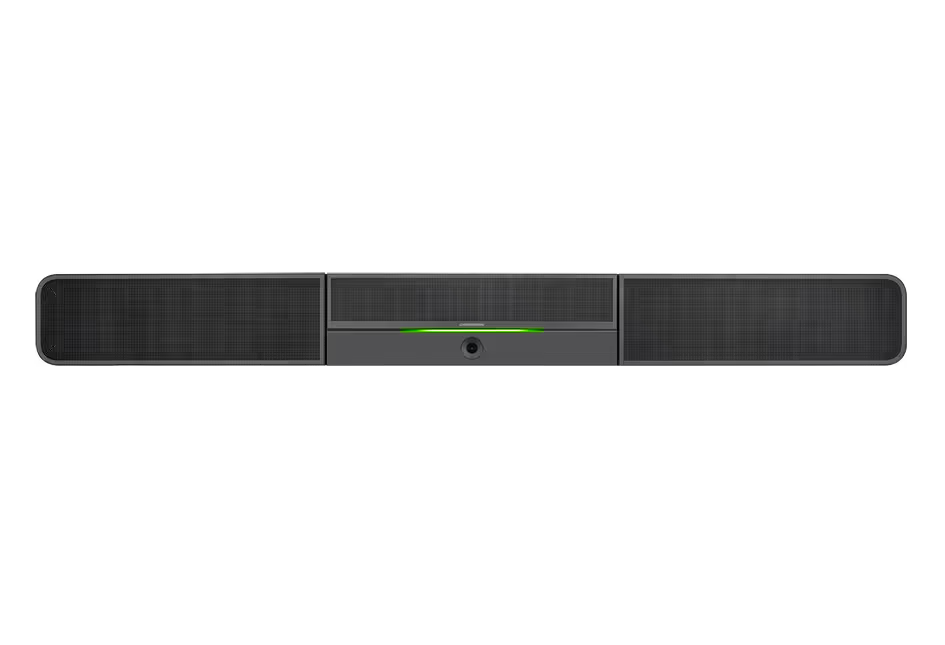
Videobar 70 is a single, easily deployable device packed with everything you need to create premium hybrid experiences.
Intelligent video capabilities from four high-resolution cameras. Stereo speakers with the capacity to fill the room with sound. Beamforming microphones that pick up every word clearly. Android OS® for easy install. Set up more rooms in less time and give medium-to-large spaces the equity that modern work demands.
Get the full range of intelligent video
Group framing. Speaker tracking. Picture-in-picture. One wide-angle camera for full room view and to see people closer to the front of the room. Three narrow-FoV cameras in an array work together to capture those further away in high-resolution and give remote participants the best view possible — even in large rooms.
Group framing
Automatically adjusts the camera to pan, tilt, and zoom so everyone in the room is perfectly framed.
Speaker tracking
Intuitively shows the person speaking and switches focus as the speaker changes — with enough range for your largest rooms.
Composition
Shows multiple views of the meeting space to add context and provide an intelligent, immersive experience.
Experience room-filling audio. Even where there's more to fill.
Videobar 70’s audio array reaches every seat — from the front of the room to the back. 24 beamforming built-in microphones reduce noise and capture voices clearly for remote participants, while powerful built-in stereo speakers fill the entire space with rich audio.
Go from 0 to 70 in seconds
Quick to deploy with plug-and-play simplicity, Videobar 70 lets you just set up and go. Power the device, connect to the network, plug in displays, and the room is ready. A single cable connects your touch panel for one-touch meeting join and control.
Bring better meetings to bigger spaces
No large rooms? No big deal.
Now, more room doesn’t need to equal more equipment. Videobar 70 is the easiest way to make large conference rooms completely collaboration friendly. One device with dynamic intelligent video and robust audio covers the whole space.
A little less space. A lot more action.
Everything needed for successful hybrid meetings, Videobar 70 let you get more use out of your midsized conference rooms with a whole lot let less — less devices, less cables, and way less work to install.
Medium Rooms
Large Rooms

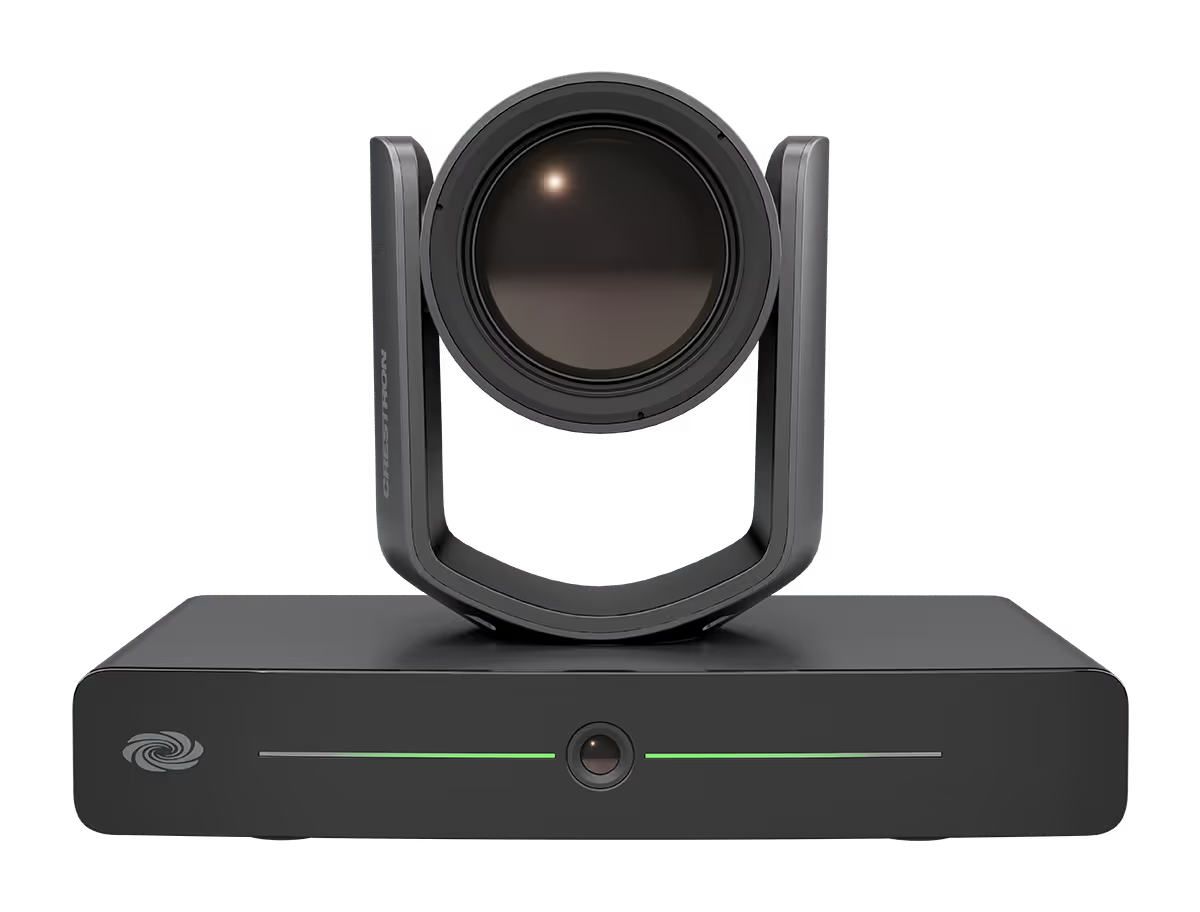
IV-CAM-I12-B
Crestron 1 Beyond i12 Intelligent PTZ Camera
A high quality intelligent PTZ camera that uses visual AI to automatically track or frame meeting participants. Ideal for group framing meeting participants in medium to large conference rooms, and presenter tracking in medium sized training rooms and classrooms.
Group Framing Technology
Group framing utilises visual AI to frame multiple participants smoothly in medium to large conference rooms. The wide-angle reference camera continuously detects when participants enter or leave the camera shot, and the PTZ camera reframes the shot automatically to fit participants.
Presenter Tracking Capability
Visual AI is used to smoothly track a single moving presenter as they move through a designated presentation area. It is easily configurable to prevent tracking other subjects or displays by using Blocking Zones. Recommended tracking range is 4.5m–7.5m from the presentation area.
Multi-Camera Switching Capability
Two IV‑CAM‑I12‑B cameras can be set up to utilize multi-camera switching. One camera can be designated as a group framing camera, and the other can be used as a presenter tracking camera. This feature allows for seamless switching between the group framing camera and the presenter tracking camera when someone enters the presentation zone - no additional hardware or software required.
Automate VX Compatible
The IV‑CAM‑I12‑B camera is compatible with Automate VX multi-camera speaker tracking systems. Use the IV‑CAM‑I12‑B for close up shots of active speaking participants, and for presenter tracking in a designated area within 7.5m.
Certified for Conferencing Software
The IV‑CAM‑I12‑B camera is certified for Microsoft Teams® and Zoom Rooms® conferencing software. Use the rear USB port and connect a USB cable to a compatible codec for conferencing software use.
High Quality Video
A high quality Sony® CMOS sensor enables the camera to output up to 1080p60 resolution video.
Networked Power, Viewing, and Control
Connect a single Ethernet cable to power (PoE), view, set up, and control the IV‑CAM‑I12‑B camera.
Large Rooms
X-Large Rooms

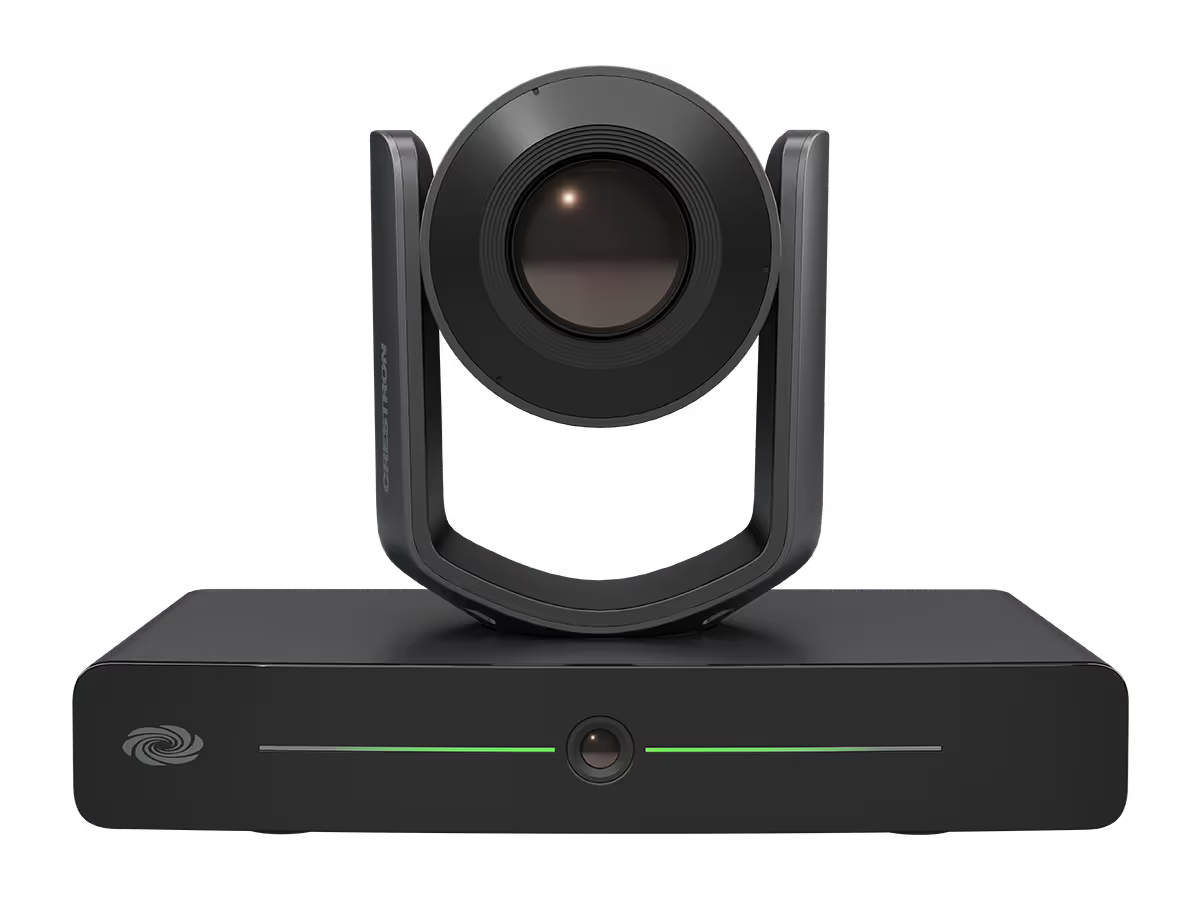
IV-CAM-I20-B
Crestron 1 Beyond i20 Intelligent PTZ Camera
A high quality intelligent PTZ camera that uses visual AI to automatically track or frame a presenter. Ideal for presenter tracking in large to extra large sized training rooms and classrooms, and group tracking meeting participants in large to extra large conference rooms.
Presenter Tracking Capability
Visual AI is used to smoothly track a single moving presenter as they move through a designated presentation area. It is easily configurable to prevent tracking other subjects or displays by using Blocking Zones. Recommended tracking range is 4.5m to 15m from the presentation area.
Group Framing Technology
Group Tracking utilises visual AI to track multiple presenters smoothly in large training rooms and classrooms. The wide-angle reference camera continuously detects when participants enter or leave the presentation area, and the PTZ camera pans, tilts, and zooms to keep all presenters in the frame.
Preset Zones
Preset Zones utilises visual AI to frame a dedicated area of the room. When a participant enters the Preset Zone, the camera automatically displays the area regardless of who is currently talking or where other participants may be.
Automate VX Compatible
The IV‑CAM‑I20 camera is compatible with Automate VX multi-camera speaker tracking systems. Use the IV‑CAM‑I20 for presenter tracking in a designated area within 15m.
Certified for Conferencing Software
The IV‑CAM‑I20 camera is certified for Microsoft Teams® and Zoom Rooms® conferencing software. Use the rear USB port and connect a USB cable to a compatible codec for conferencing software use.
High Quality Video
A high quality Sony® CMOS sensor enables the camera to output up to 1080p60 resolution video.
Networked Power, Viewing, and Control
Connect a single Ethernet cable to power (PoE), view, set up, and control the IV‑CAM‑I20 camera.
Large Rooms
X-Large Rooms

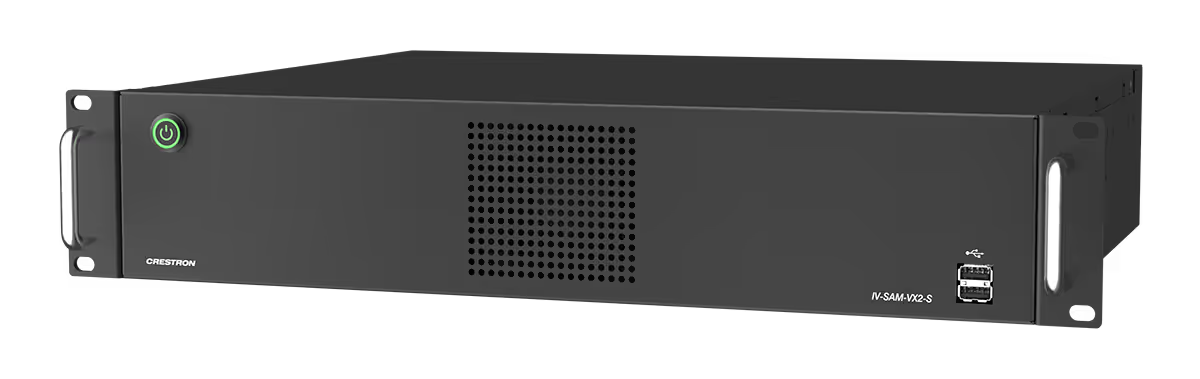
IV-SAM-VX2-S
Automate VX
The IV-SAM-VX2-S Automate VX is a voice-activated camera switching solution that brings the full multi-camera studio experience to meetings, town halls, and classrooms. Crestron 1 Beyond cameras automatically switch based on the location of the active speaking participant.
Production Quality Camera Shots
See who is speaking with close-up camera shots. Clean production-style camera switching provides a more engaging experience for remote participants or viewers.
High Definition Video for Conferencing
Connect 12x and 20x optical zoom Crestron 1 Beyond Cameras via 3G-SDI or NDI®|HX for high quality video output resolutions. Provide uncompressed high definition video through your conferencing codec of choice with the included SDI to USB-A 3.0 converter.
AutoFraming and Reframing with Visual AI
Visual AI directs Crestron 1 Beyond optical zoom cameras to automatically center participants in camera shots via AutoFraming. Reframing continuously keeps the participant centered in the camera shot — even when the participant moves from their initial position.
Voice-Activated Switching
Voice-activated switching uses data from the room microphones to locate the active speaking participant and change camera shots accordingly. Multiple microphone types are supported, including intelligent array microphones, wired and wireless microphones, and discussion systems.
No Code Configuration with Visual Designer
The Room Designer tool provides the ability to design and configure meeting spaces. The browser interface is used to create and visualize designs to accommodate the room’s requirements, and to determine optimal placement of cameras and microphones. Set the desired camera switching experience graphically - no coding or camera presets required.
Adapts to Room Sizes and Uses
Cameras can be located throughout the room for best camera angles. Room configurations can be set to accommodate different furniture layouts with a single button push.
Professional Services
The 1 Beyond Automate system requires the purchase of 1 Beyond Camera Systems Remote Professional Services. Remote Professional Services provides dedicated technical support for the remote deployment of Automate VX Voice Activated Multi Camera Switching Solutions.
Custom Layouts
Combine multiple sources, superimpose titles and add custom graphics. A graphical user interface allows for custom layouts, not just picture‑in‑picture or side‑by‑side.
Native Crestron Control and REST API
Enable autoswitching, activate Scenarios, record/stream, change room configurations or layouts and more from your preferred control interface. An adaptable API is available for customizable user interfaces on third-party control systems. For more information about the API for Automate VX, refer to the Automate VX API documentation.
Conference, Stream, and Record
In addition to high quality output for hard or soft codecs, the system has a built-in encoder and recorder to enable RMTP streaming with 316 GB of storage for local program and ISO recording. Automated copy available to network and cloud storage.
Microphones
Small Rooms
Medium Rooms

{product-code}
Crestron Mercury Mini
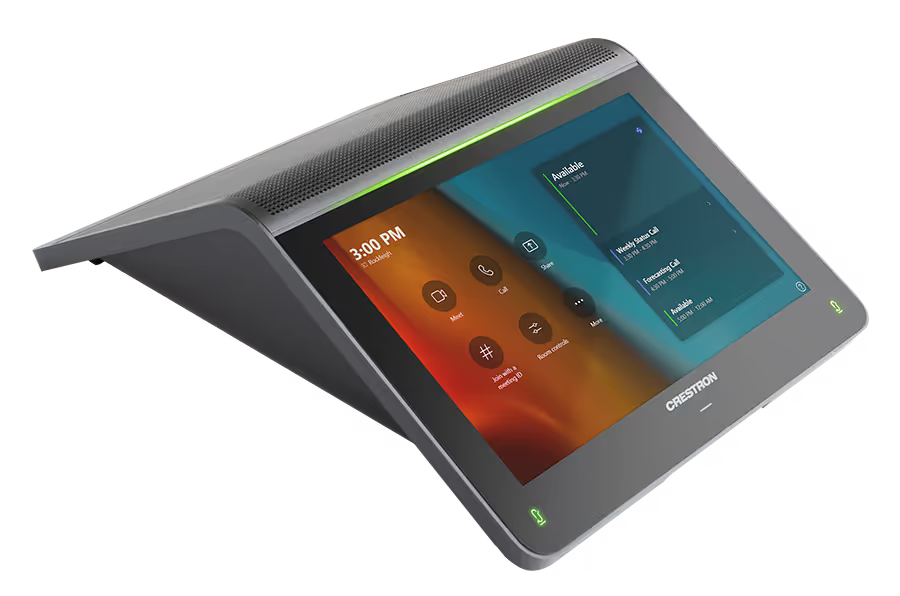
With a large 7-inch HD colour touch screen and an integrated AEC-enabled USB speakerphone, the Crestron Mercury Mini provides a superior conferencing and collaboration experience for meeting rooms, huddle spaces, and executive offices.
Native Microsoft Teams® Rooms Experience
The UC-MM30-T system brings the full Microsoft Teams Rooms UC experience to any meeting space in an enterprise or SMB facility.
Intuitive User Interface with Impressive Audio
With a large 7 in. HD colour touch screen and an integrated AEC-enabled USB speakerphone that affords full-duplex wideband audio performance, the Crestron Flex Tabletop Conference device (UC-2-T-V) provides a superior conferencing and collaboration experience for meeting rooms, huddle spaces, and executive offices.
Simplified Deployment
The UC Bracket Assembly provides preassembled components on one ready-to-mount bracket to simplify installation. The assembly can be mounted on a wall, or it can be attached to the rear of the display device. Crestron's direct connection method further simplifies installation with a single connection from the Flex tabletop conference device to the UC Bracket Assembly.
Crestron Control System Integration
The UC-MM30-T can integrate with a Crestron control system to enable touch screen control of room lighting, motorised window shades, climate control, AV, and other amenities.
Enterprise‑Grade Security
Crestron Flex is an enterprise‑grade solution, engineered in partnership with Microsoft® to integrate seamlessly into any Microsoft Teams Rooms software deployment. Crestron Flex is ideally equipped for mass deployment throughout any sized corporate, university, medical, military, or government facility.
Easy Provisioning and Device Management
The XiO Cloud service is an IoT cloud based provisioning service (available separately) that enables installers and IT managers to deploy and manage thousands of devices easily. The XiO Cloud service allows for system alerts, network management and provisioning, and the pairing of a control device to the system’s UC Engine. System updates are controlled by Windows® software update.
Premium‑Level Support
Crestron Flex Care is an optional subscription service that can be renewed annually (up to 5 years from ship date). It provides 24/7 live remote technical support, an extended five-year warranty on Crestron® hardware, expedited advance replacements, and a discounted rate for on-site support.
Dual Control Option
A TS- or TSW- 70 series 10.1 in. touch screen may be added to the solution as an additional control point for the Microsoft Teams Rooms environment.
Small Rooms
Medium Rooms

UC-SB1-CAM
Crestron Soundbar
A sleek and stylish soundbar comprising a high‑performance conferencing speakerphone and camera in one stunning front‑of‑room device.
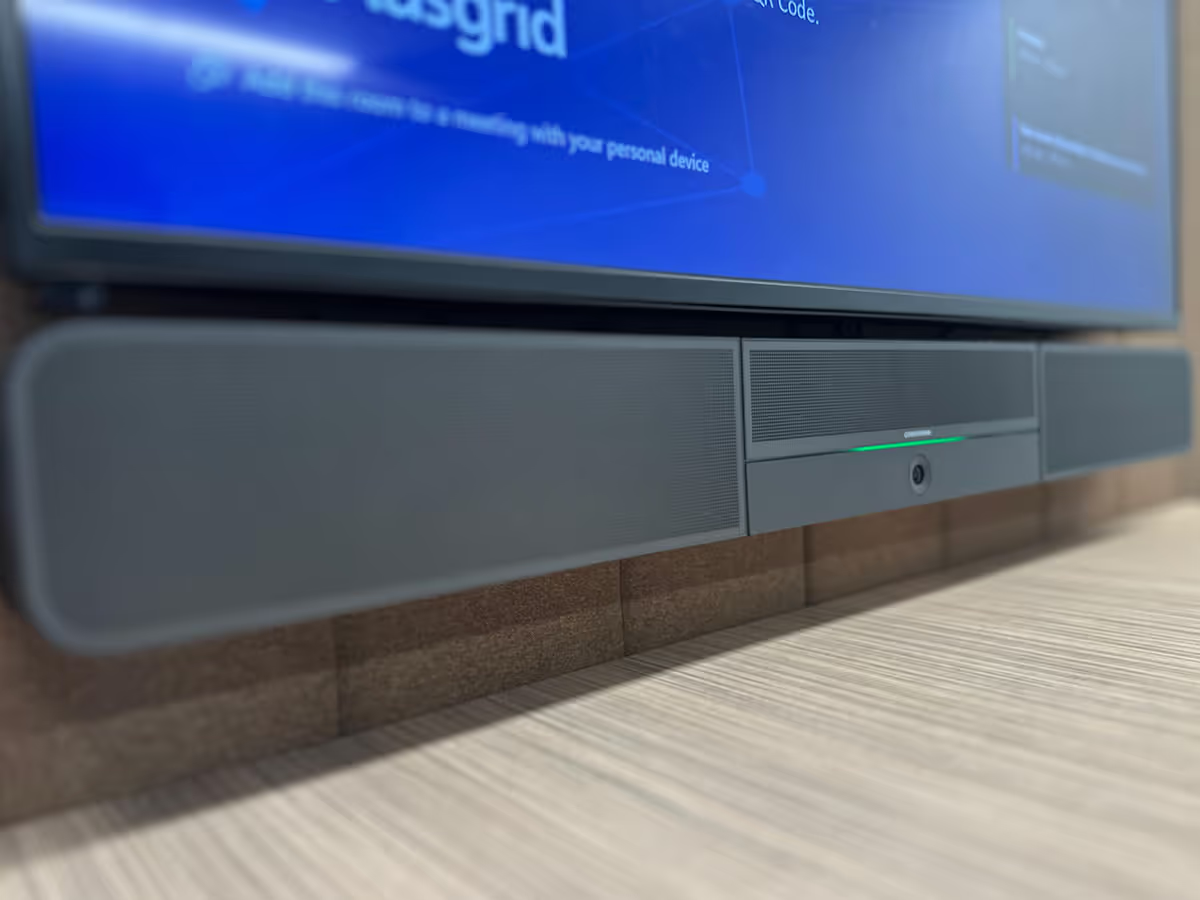
The Crestron® UC Video Conference Smart Soundbar & Camera (UC-SB1-CAM) is a front‑of‑room device that eliminates the need to install additional microphones, speakers, or cameras in a conference space. Mounted on the wall or placed on a credenza beneath the room display(s), the smart soundbar looks great and sounds even better in a small to medium‑sized meeting space.
High‑powered stereo speakers, adaptive beamforming microphone, and advanced digital signal processing deliver exceptional full‑duplex speakerphone performance with highly intelligible, echo‑free voice clarity. A perfect view of the room is achieved through the built-in conferencing camera featuring HD 1080p video resolution, ultra-wide 150° diagonal field of view, and Genius Framing digital autozoom.
USB Speakerphone & Camera
The UC-SB1-CAM comprises a high‑performance AEC‑enabled speakerphone and camera. It is designed for integration with a computer running UC conferencing or web collaboration software, and can also be used for general presentation of computer‑based AV content. A single USB 3.0 connection provides a plug‑and‑play interface to a computer.
The soundbar behaves like most USB Audio or USB Video Class devices, enabling use as a speaker, microphone, and camera for all types of multimedia applications running on a computer. Even if you’re not on a call, you can use the smart soundbar to share content with everyone in the room, or make a professional recording of the meeting.
Superb Sound Quality
The soundbar facilitates conversations with exceptional audio fidelity and pickup. Its integrated 180° far‑field microphone array faithfully captures voices throughout the room using adaptive beamforming technology. Its high‑powered, two‑way stereo speakers produce full, rich and real sounding audio. High‑performance AEC technology achieves transparent full‑duplex performance free of distracting echo or noise. Additional digital signal processing assures optimal sound quality for an immersive experience.
Intelligent HD Camera
The integrated Huddly IQ™ camera features an ultra wide‑angle 150° diagonal field of view to capture an entire conference room in Full HD 1080p video resolution. High precision aspherical optics, 12 MP CMOS sensor, and advanced video processing ensure an immersive, crystal clear video image free from light or noise artifacts or optical aberrations.
Genius Framing digital autozoom intelligently detects the people in the room and frames them perfectly for an optimal view. With Genius Framing, there’s no need to control the camera manually or rely on stored presets. When conferencing, the camera image adjusts automatically to frame everyone in the shot.1 People counting analytics detects and reports the number of people in frame for analysis by room utilisation software.
Enhanced Functionality
The UC-SB1-CAM integrates seamlessly with a wide variety of computer‑based UC platforms. Plug‑and‑play USB connectivity enables control of the soundbar through the computer without requiring extra remotes or a control system. The computer detects the soundbar connection automatically, and the soundbar responds when an online meeting is started, speaker volume is adjusted, or the speaker or mic is muted. On the front of the soundbar, operational status is displayed by a multicolour LED status bar that illuminates as the volume is increased, and changes colours to indicate connection and mute status.
Analog Audio Input & Output
Additional audio connectivity is provided through unbalanced stereo analog input and output jacks on the rear panel. The input accommodates a line‑level audio source, which feeds to the internal amplifier and speakers with no volume control or other signal processing. The output is provided to feed an assistive listening system, and carries the same audio signal as the soundbar speakers.
Easy Installation
The integral hinged mounting bracket attaches easily to a wall surface using four screws. A total of eight mounting keyholes, arranged in 2 in. (51 mm) increments, accommodates wall stud spacing from 12 to 24 in. (305 to 610 mm). The mounting bracket allows the soundbar to be tipped forward for full access to the rear panel connections. Once installed and connected, the soundbar is held upright magnetically for normal operation. Alternately, the soundbar can be placed on a shelf or credenza. Optimal results are achieved by positioning the unit at ear/face height when seated. A single 100‑240 VAC outlet is required to power the unit.
Medium Rooms
Large Rooms

{product-code}
Crestron Videobar 70 All-in-One Collaboration Bar
Videobar 70 is a single, easily deployable device packed with everything you need to create premium hybrid experiences.
Intelligent video capabilities from four high-resolution cameras. Stereo speakers with the capacity to fill the room with sound. Beamforming microphones that pick up every word clearly. Android OS® for easy install. Set up more rooms in less time and give medium-to-large spaces the equity that modern work demands.
Get the full range of intelligent video
Group framing. Speaker tracking. Picture-in-picture. One wide-angle camera for full room view and to see people closer to the front of the room. Three narrow-FoV cameras in an array work together to capture those further away in high-resolution and give remote participants the best view possible — even in large rooms.
Group framing
Automatically adjusts the camera to pan, tilt, and zoom so everyone in the room is perfectly framed.
Speaker tracking
Intuitively shows the person speaking and switches focus as the speaker changes — with enough range for your largest rooms.
Composition
Shows multiple views of the meeting space to add context and provide an intelligent, immersive experience.
Experience room-filling audio. Even where there's more to fill.
Videobar 70’s audio array reaches every seat — from the front of the room to the back. 24 beamforming built-in microphones reduce noise and capture voices clearly for remote participants, while powerful built-in stereo speakers fill the entire space with rich audio.
Go from 0 to 70 in seconds
Quick to deploy with plug-and-play simplicity, Videobar 70 lets you just set up and go. Power the device, connect to the network, plug in displays, and the room is ready. A single cable connects your touch panel for one-touch meeting join and control.
Bring better meetings to bigger spaces
No large rooms? No big deal.
Now, more room doesn’t need to equal more equipment. Videobar 70 is the easiest way to make large conference rooms completely collaboration friendly. One device with dynamic intelligent video and robust audio covers the whole space.
A little less space. A lot more action.
Everything needed for successful hybrid meetings, Videobar 70 let you get more use out of your midsized conference rooms with a whole lot let less — less devices, less cables, and way less work to install.
Small Rooms
Medium Rooms
Large Rooms

UC-AUDIO-1-B-DR2 KIT
Crestron Flex Pod Wireless Audio Kit with Hub and Pod
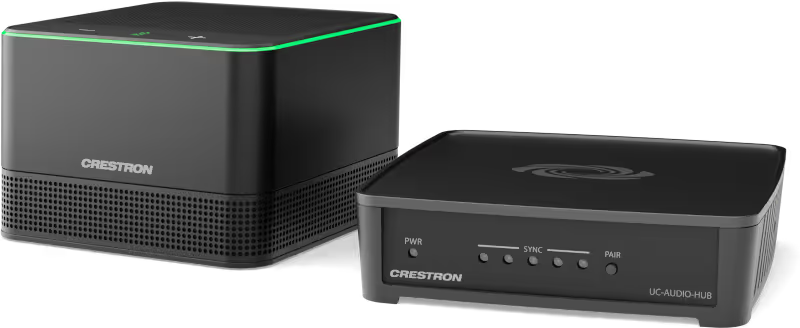
A wireless conferencing system that provides a small to large-room audio conference solution. Up to four pods connect wirelessly to the hub which sends and receives audio anywhere in the space through a USB-C® connection.
The Crestron Flex UC-AUDIO-1-B KIT is a wireless conferencing system that provides a small to large room audio conference solution. The kit includes a Crestron Flex UC-AUDIO-POD and UC-AUDIO-HUB. The system can be expanded to support up to four pods, delivering a high-quality audio experience when connected to the hub through the Digital Enhanced Cordless Telecommunications (DECT™) technology.
High-Quality Audio
The pod delivers intelligible and high-quality audio across every corner of a room. It contains four auto-mixed directional mics that provide 360-degree pickup, high-quality echo cancellation, automatic gain compensation, and noise reduction.
Wireless Connectivity
The hub wirelessly connects with and distributes audio to up to four paired pods, enabling the pods to be placed anywhere within a room. This allows the hub and the pods to be deployed in large conference rooms and multi-purpose meeting spaces. Audio level consistency is realised as volume levels are synchronised across all the pods.
Outstanding Adaptability
The pod is scalable across a variety of room types, including unconventionally shaped ones and those with challenging designs. In an open architecture design or where walls and ceilings cannot be opened to wires, the pod provides an audio solution ensuring that neither room aesthetics nor optimal audio are compromised. The pod, when connected with the hub, can easily be moved if furniture changes, and additional pods can be added if the room expands. Pods can be deployed in spaces with video conferencing hosted by personal devices to enable productive hybrid meetings with high-quality audio.
Robust Security
The pod delivers audio over long distances, making it optimal for larger spaces. The DECT technology ensures that only paired pods transmit audio from the intended hub. The pod provides safe and secure audio transmission leveraging DECT technology. DECT uses multiple levels of security and does not interfere with other wireless technologies, such as Wi-Fi® and Bluetooth®.
Easy Device Management
The configuration and connection status of the system can be monitored through a simple web user interface with no prior setup. Deploying the pods and the hub across multiple room types, firmware updates, monitoring, and management can be controlled using the XiO Cloud® service.
Small Rooms
Medium Rooms
Large Rooms

UC-AUDIO-1-B-DR2 KIT
Crestron Flex Advanced Small Room Conference System with Jabra® PanaCast® 50 Video Bar
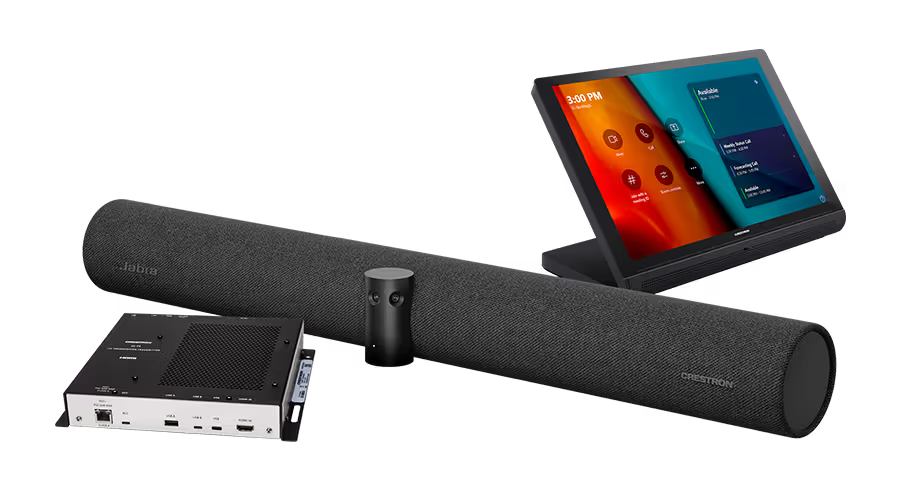
A small room video conference solution for use with Microsoft Teams® Rooms. Supports single or dual video displays (not included) and features a tabletop touch screen, Jabra® PanaCast® 50 video bar, UC bracket assembly, UC presentation transmitter, PoE injector, and cables.
The UC-BX31-T Crestron Flex advanced tabletop conferencing system provides a small room video conference solution for use with Microsoft Teams® Rooms software. It supports single or dual video displays1 (not included) and features a tabletop touch screen, Jabra® PanaCast® 50 video bar, UC bracket assembly, UC presentation transmitter, PoE injector, and cables.
Native Microsoft Teams® Rooms Experience
The UC-BX31-T system brings the full Microsoft Teams Rooms UC experience to any meeting space in an enterprise or SMB facility.
Intuitive User Interface
With a large 10.1 in. (257 mm) capacitive touch screen display, the Crestron® tabletop touch screen (TS‑1070) provides superior conferencing control in meeting rooms, huddle spaces, and executive offices. The touch screen also offers optional control of room lighting, shades, thermostats, and other equipment.
Simplified Deployment
The UC Bracket Assembly provides preassembled components on one ready-to-mount bracket to simplify installation. The assembly can be mounted on a wall, or it can be attached to the rear of the display device. Crestron's direct connection method further simplifies installation with a single connection from the tabletop touch screen to the UC Bracket Assembly.
High‑Definition Video Conferencing with Impressive Audio
High-quality speakers and microphones deliver exceptional full-duplex performance from the Jabra PanaCast 50 intelligent video bar (UC‑SB‑P50). Three built-in conferencing cameras capture the room in panoramic 4K resolution with a seamless 180° horizontal field of view.
Crestron Control System Integration
The UC-BX31-T integrates with a Crestron control system to enable touch screen control of room lighting, motorised window shades, climate control, AV, and other amenities.
Bring Your Own Device (BYOD)
Conference room visitors can connect their laptop to the Crestron Flex system to use their own UC conference platform. The UC Presentation Transmitter (UC‑PR) switches to the connected laptop's UC platform and returns to the native platform when disconnected.
Enterprise‑Grade Security
Crestron Flex is an enterprise‑grade solution, engineered in partnership with Microsoft to integrate seamlessly into any Microsoft Teams Rooms software deployment. Crestron Flex is ideally equipped for mass deployment throughout any sized corporate, university, medical, military, or government facility.
Easy Provisioning and Device Management
The XiO Cloud service is an IoT cloud based provisioning service (available separately) that enables installers and IT managers to easily deploy and manage thousands of devices. The XiO Cloud service provides system alerts, network management and provisioning, and the pairing of a control device to the system’s UC Engine. System updates are controlled by Windows® software update.
Premium‑Level Support
Crestron Flex Care is an optional subscription service that can be renewed annually (up to 5 years from ship date). It provides 24/7 live remote technical support, an extended five-year warranty on Crestron® hardware, expedited advance replacements, and a discounted rate for on-site support.
Dual Control Option
A TS- or TSW- 70 series 10.1 in. touch screen may be added to the solution as an additional control point for the Microsoft Teams Rooms environment.2, 3
Control

TSW 70 Series Touch Screen - Wall Mount
A stylish and versatile wall-mounted touch screen with built‑in applications for room scheduling.
The Crestron® TSW 70 series is a stylish and versatile wall mount touch screen that is ideal for residential and enterprise applications. The TSW‑570 features a 5 in. (127 mm) capacitive touch screen display with custom‑programmable control buttons and support for Smart Graphics® software and HTML5‑based custom UI projects. PoE connectivity and a comprehensive assortment of mounting accessories simplify new and retrofit installations.
Advanced Touch Screen Control
The TSW 70 series offers a sleek and powerful user interface for controlling technology in a home, boardroom, classroom, or command centre. The touch screen provides an intuitive interface that is fully customisable with easy-to-use capacitive controls, true feedback, and real-time status display. A built-in proximity sensor wakes the screen without requiring any user interaction, and automatic brightness controls ensure optimal visibility under varying lighting conditions.
Custom-Programmable Virtual Buttons
The TSW 70 Series provides a universal status bar that is populated with virtual buttons for quick access to common touch screen functions. The touch screen comes preconfigured with virtual buttons for Power, Home, Lights, Up, and Down. Each button can be programmed via a Crestron control system to provide custom functionality, and unused buttons can be hidden individually. The universal status bar is expanded or hidden using simple swipe gestures on touch screen display.
Dynamic User Interfaces
The TSW‑570 supports custom user interfaces created with Crestron HTML5 User Interface and Smart Graphics technologies, allowing greater flexibility for UI developers and programmers.
- Crestron HTML5 User Interface enables UI designers to develop rich, front-end user interfaces with increased reusability and efficiency using modern web methodologies. Crestron HTML5 User Interface development tools are provided to simplify creating user interfaces built on standard web technologies
- Smart Graphics enables programmers to integrate fluid gesture‑driven controls, animated feedback, rich metadata, embedded apps and widgets, and full-motion video into their user interfaces. Smart Graphics provides dynamic features such as graphical buttons and sliders, lists and toolbars, drag-and-drop objects, dashboard widgets, screensavers, and customisable themes.
Streaming Video
Native support for H.265, H.264, and MJPEG formats allows the TSW‑570 to display live streaming video from an IP camera, a streaming encoder (Crestron DM‑TXRX‑100‑STR, or similar), or a DigitalMedia™ switcher. Video is delivered to the touch screen over Ethernet, eliminating the need for any extra video wiring.
Crestron Room Scheduling App
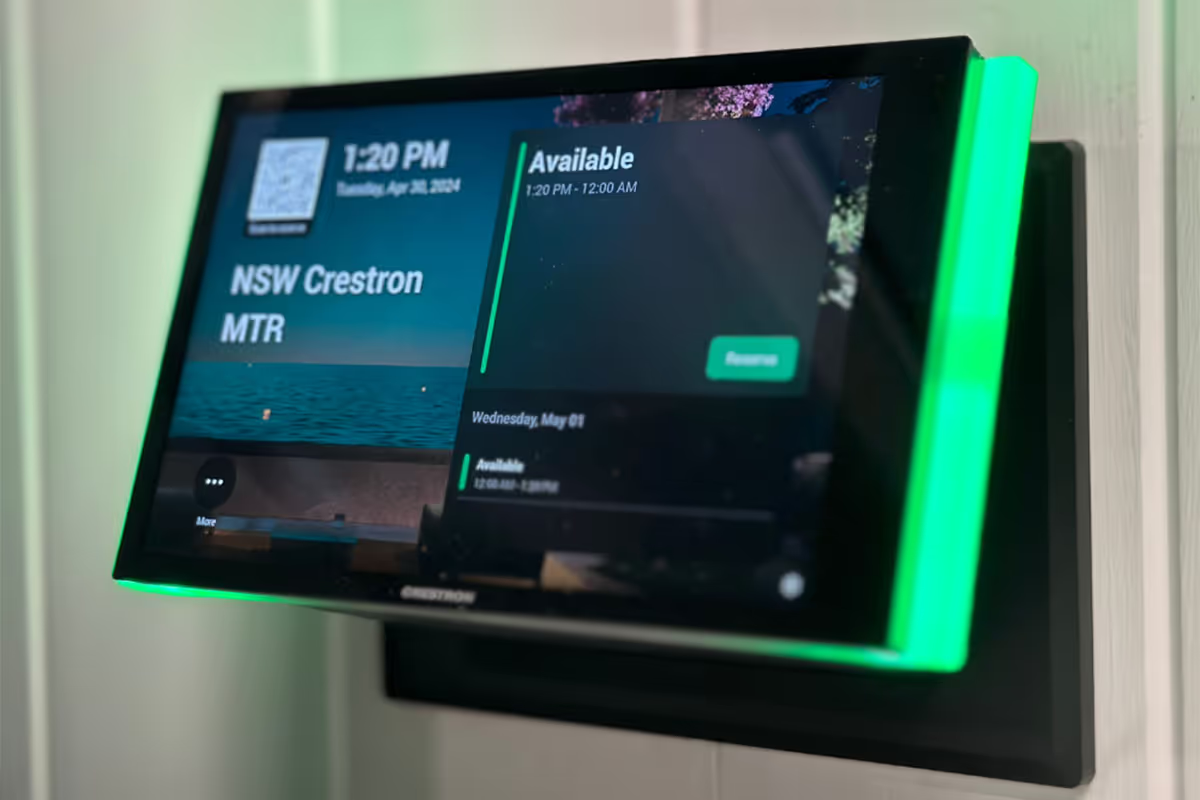
As part of a complete enterprise room scheduling solution, the TSW 70 Series can be deployed as a scheduling panel via the Crestron room scheduling app. A Crestron scheduling panel can be installed at the entrance of a meeting room to provide indication of the room’s availability and a view of its schedule for the day. If desired, the room can be reserved on the spot for an ad hoc meeting. A CEN‑ODT‑C‑POE occupancy sensor can also be paired to the touch screen, allowing for occupancy status to be reported instantly to the scheduling app for no‑shows and unscheduled room usage.
Running the Crestron Scheduling App, the TSW 70 Series integrates directly with Crestron Fusion® software, Microsoft Exchange Server® software (for users of Outlook® software and Office 365® software), the Google Calendar™ calendaring app (including G Suite™ software), CollegeNET® 25Live® scheduling software, or Ad Astra™ software. IBM® Notes® software is also supported through a Crestron Fusion on‑premises server.
Web Browsing
Using its built‑in web browser, the TSW 70 Series provides access to online program guides and other web-based services, and it can be used to control DVRs and other devices without having to pick up a separate tablet or smartphone.
Wired Connectivity
An Ethernet LAN connection is all that is required to wire the TSW‑570, containing all control, video, and power signals within a single wire.
Power over Ethernet
Using PoE technology, the TSW 70 Series gets its operating power directly through the network cable. PoE (Power over Ethernet) eliminates the need for a local power supply or any dedicated power wiring. Crestron PoE switches (CEN‑SW‑POE‑5 or CEN‑SWPOE‑16) offer a total networking solution with built‑in PoE for multiple touch screens. A PoE Injector (PWE‑4803RU) is also available to support a single touch screen.
Room Scheduling Accessories
The TSW‑570 provides dual high-speed USB 2.0 ports for connecting supported Crestron room scheduling hallway sign accessories to the touch screen. The SSW, SSW‑EL, SSC, and SSC‑EL series hallway signs feature a two sided acrylic sign face that can be custom engraved with the room name or number. The SIW‑100 offers a lower profile wall mount status indicator.1 touch screen.
Enterprise-Grade Security
Crestron touch screens employ enterprise-grade networking with robust security features such as 802.1X authentication, TLS encryption, HTTPS connectivity, and Active Directory® service integration. These features are imperative to protect your network against service interruptions and malicious intrusions, and to ensure compliance with your organization’s network policies. Cloud‑based provisioning and management streamlines the process of configuring, monitoring, and updating every touch screen on the network. Additional support for SNMP allows the touch screen to be monitored by your IT administrator.
XiO Cloud Service
The TSW 70 Series is compatible with the XiO Cloud® service, which is an IoT (Internet of Things) based platform for remotely provisioning, monitoring, and managing Crestron devices across an enterprise or an entire client base. Built on the Microsoft® Azure® software platform and utilising Microsoft's industry‑leading Azure IoT Hub technology, XiO Cloud enables installers and IT managers to deploy and manage thousands of devices in the time it previously took to manage just one. Unlike other virtual machine‑based cloud solutions, Azure services provide unlimited scalability to suit the ever‑growing needs of an enterprise.
Wall Mount Options
The TSW 70 Series is easily installed into drywall and other surfaces using the included TSW‑UMB‑70 universal mounting bracket, which affords the following mounting options:
- Can be used by itself as a post-construction solution for retrofitting the TSW 70 Series into existing drywall.
- Can be used with the included TSW‑UMB‑70‑PMK pre-construction mounting kit for applications that don’t require a back box.
- Can be used with the TSW‑UMB‑70‑BBI back box for masonry and concrete applications.
A security bracket option is also included to deter unauthorised removal of the touch screen.
Optional Mounting Accessories
The TSW‑570/770‑RMK‑1 rack mount kit allows the touch screen to be mounted into a 19 in. rack. When installed, the touch screen occupies three rack spaces.
The TSW 70 Series is also compatible with Wall-Smart® flush wall mount products via a partnership with Crestron.

TS 70 Series Touch Screen - Tabletop
A stylish and versatile tabletop touch screen with built‑in applications for room scheduling and conferencing.
The Crestron® TS 70 series is a stylish and versatile tabletop touch screen that is ideal for residential and enterprise applications. The TS‑770 features a 7 in. (178 mm) capacitive touch screen display with custom‑programmable control buttons and support for Smart Graphics® software and HTML5‑based custom UI projects. PoE and Wi‑Fi® network connectivity and a modern tabletop design allow the touch screen to be deployed just about anywhere.
Advanced Touch Screen Control
The TS 70 series offers a sleek and powerful user interface for controlling technology in a home, boardroom, classroom, or command centre. The touch screen provides an intuitive interface that is fully customisable with easy-to-use capacitive controls, true feedback, and real-time status display. A built-in proximity sensor wakes the screen without requiring any user interaction, and automatic brightness controls ensure optimal visibility under varying lighting conditions.
Custom-Programmable Virtual Buttons
The TS 70 series provides a universal status bar that is populated with virtual buttons for quick access to common touch screen functions. The touch screen comes preconfigured with virtual buttons for Power, Home, Lights, Up, Down, and Microphone. Each button can be programmed via a Crestron control system to provide custom functionality, and unused buttons can be hidden individually. The universal status bar is expanded or hidden using simple swipe gestures on touch screen display.
Dynamic User Interfaces
The TS 70 series supports custom user interfaces created with Crestron HTML5 User Interface and Smart Graphics technologies, allowing greater flexibility for UI developers and programmers.
- Crestron HTML5 User Interface enables UI designers to develop rich, front-end user interfaces with increased reusability and efficiency using modern web methodologies. Crestron HTML5 User Interface development tools are provided to simplify creating user interfaces built on standard web technologies
- Smart Graphics enables programmers to integrate fluid gesture‑driven controls, animated feedback, rich metadata, embedded apps and widgets, and full-motion video into their user interfaces. Smart Graphics provides dynamic features such as graphical buttons and sliders, lists and toolbars, drag-and-drop objects, dashboard widgets, screensavers, and customisable themes.
Voice Recognition
With built‑in voice recognition, spoken commands can be issued to the TS 70 series to quickly turn devices on or off, select and play a specific media source, change the channel, choose a lighting scene, lower the window shades, lock the doors, arm the security system, or enter a password. Simply say a command and Crestron does the rest.
Streaming Video
Native support for H.265, H.264, and MJPEG formats allows the TS 70 series to display live streaming video from an IP camera, a streaming encoder (Crestron DM‑TXRX‑100‑STR, or similar), or a DigitalMedia™ switcher. Video is delivered to the touch screen over Ethernet, eliminating the need for any extra video wiring.
Rava SIP Intercom
Rava SIP Intercom Technology enables hands‑free VoIP communication with other Rava‑enabled touch screens and door stations. Rava works over Ethernet, supporting 2-way intercom and paging without requiring any special wiring. VoIP phone capability is also possible through integration with a SIP‑compatible IP phone system or SIP server, allowing hands‑free telephone functionality complete with speed-dialing, caller ID, custom ringers, and other enhancements. Built‑in echo cancellation affords full‑duplex performance for clear, seamless voice communication using the integrated microphone and speakers.
Sonos App
Sonos and Crestron have partnered to provide a powerful whole-house music experience. From any touch screen in the house, browse for tracks, artists, or playlists using all the services available from Sonos and instantly play them in any room using Sonos® wireless speakers or a Crestron Sonnex® multiroom audio system. The Sonos app runs natively on the TS 70 series, enabling enhanced control of Sonos products as part of a complete Crestron system. The app checks for updates nightly so it’s always current, and support for the Sonos S2 App is provided.
Crestron Room Scheduling App
As part of a complete enterprise room scheduling solution, the TS 70 series can be deployed as a scheduling panel via the Crestron room scheduling app. A Crestron scheduling panel can be installed at the entrance of a meeting room to provide indication of the room’s availability and a view of its schedule for the day. If desired, the room can be reserved on the spot for an ad hoc meeting. A CEN‑ODT‑C‑POE occupancy sensor can also be paired to the touch screen, allowing for occupancy status to be reported instantly to the scheduling app for no‑shows and unscheduled room usage.
Running the Crestron Scheduling App, the TS 70 series integrates directly with Crestron Fusion® software, Microsoft Exchange Server® software (for users of Outlook® software and Office 365® software), the Google Calendar™ calendaring app (including G Suite™ software), CollegeNET® 25Live® scheduling software, or Ad Astra™ software. IBM® Notes® software is also supported through a Crestron Fusion on‑premises server.
Third-Party Scheduling Apps
The TS 70 series also includes support various third-party scheduling applications. New providers are made available via firmware updates. Whatever provider you choose, setup is as simple as connecting the touch screen to the network and choosing an app from the web-based setup menu or built-in setup screens. The selected app downloads from the cloud and installs on the touch screen without any programming or control system required.
Bluetooth Beacon
The built‑in Bluetooth® proximity detection beacon enhances the intelligence and personalisation of a Crestron system by enabling a smartphone or tablet device to always know what room it is in. It works with the Crestron Go App and Crestron App to determine when the mobile device is in or near the same room as the beacon, and signals the mobile app to automatically display the appropriate controls and information for the room.
Web Browsing
Using its built‑in web browser, the TS 70 series provides access to online program guides and other web-based services, and it can be used to control DVRs and other devices without having to pick up a separate tablet or smartphone.
Wired and Wi-Fi Connectivity
An Ethernet LAN connection is all that is required to wire the TS 70 series, containing all control, video, intercom, and power signals within a single wire.
For deployments without access to Ethernet, the touch screen can also be connected the network over Wi‑Fi communications via a local wireless access point (WAP).
Power over Ethernet
Using PoE technology, the TS 70 series gets its operating power directly through the network cable. PoE (Power over Ethernet) eliminates the need for a local power supply or any dedicated power wiring. Crestron PoE switches (CEN‑SW‑POE‑5 or CEN‑SWPOE‑163) offer a total networking solution with built‑in PoE for multiple touch screens. A PoE Injector (PWE‑4803RU3) is also available to support a single touch screen.
High-Speed USB Port
The TS 70 series provides a high-speed USB 2.0 port for connecting supported Crestron accessories to the touch screen.
Enterprise-Grade Security
Crestron touch screens employ enterprise-grade networking with robust security features such as 802.1X authentication, TLS encryption, HTTPS connectivity, and Active Directory® service integration. These features are imperative to protect your network against service interruptions and malicious intrusions, and to ensure compliance with your organization’s network policies. Cloud‑based provisioning and management streamlines the process of configuring, monitoring, and updating every touch screen on the network. Additional support for SNMP allows the touch screen to be monitored by your IT administrator.
XiO Cloud Service
The TS‑770 is compatible with the XiO Cloud® service, which is an IoT (Internet of Things) based platform for remotely provisioning, monitoring, and managing Crestron devices across an enterprise or an entire client base. Built on the Microsoft® Azure® software platform and utilizing Microsoft's industry‑leading Azure IoT Hub technology, XiO Cloud enables installers and IT managers to deploy and manage thousands of devices in the time it previously took to manage just one. Unlike other virtual machine‑based cloud solutions, Azure services provide unlimited scalability to suit the ever‑growing needs of an enterprise. For more information, visit www.crestron.com/xiocloud.
Crestron ONE App Support
The TS 70 series is compatible with the Crestron ONE™ mobile room control app. The Crestron One app creates a peer‑to‑peer network over Bluetooth communications between a mobile device and the TS 70 series in the room, allowing mobile‑optimised room controls to be pushed to the device from the touch screen. Programmers can specify the controls that display on the mobile app by mapping joins from Smart Graphics projects to the mobile project. A SW‑MOBILITY license is required to enable mobile room control functionality.
Optional Mounting Accessories
The TS-770/1070-SMK allows the touch screen to be mounted permanently to a tabletop and permits up to 330 degree swivel rotation.
{product-code}
{product-name}
{product summary lorem ipsum dolor sit amet, consectetur adipiscing elit. Donec semper arcu non ipsum tincidunt, eu tempor justo congue.}
Heading 1
Heading 2
Heading 3
Heading 4
Heading 5
Heading 6
Lorem ipsum dolor sit amet, consectetur adipiscing elit, sed do eiusmod tempor incididunt ut labore et dolore magna aliqua. Ut enim ad minim veniam, quis nostrud exercitation ullamco laboris nisi ut aliquip ex ea commodo consequat. Duis aute irure dolor in reprehenderit in voluptate velit esse cillum dolore eu fugiat nulla pariatur.
Block quote
Ordered list
- Lorem ipsum dolor sit amet, consectetur adipiscing elit, sed do eiusmod tempor incididunt ut labore et dolore magna aliqua. Ut enim ad minim veniam, quis nostrud exercitation ullamco laboris nisi ut aliquip ex ea commodo consequat. Duis aute irure dolor in reprehenderit in voluptate velit esse cillum dolore eu fugiat nulla pariatur.
-
- Item 2
- Item 3
Unordered list
- Item A
- Item B
- Item C
Bold text
Emphasis
Superscript
Subscript
What it's like to partner with Merge
Hear what our awesome clients have to say about teaming up with us.

Working with Merge and the wider team never felt like a typical client-vendor relationship - it was a true partnership. They brought our vision to life with seamless execution, clear communication, and a shared focus on simplicity and user experience. Their attention to detail and willingness to collaborate at every stage make them a team we’d confidently recommend.
Dan S
Head of Space Engineering

Working with the Merge team has been a fantastic experience from start to finish. They were honest, transparent, and always solution-focused – guiding us through every stage with clear communication and practical advice. Even as the project evolved and new people came on board, they kept everything on track. Their ability to translate our vision into a flexible, dynamic space that caters to everything from small meetings to major events was exactly what we needed. We’re already working with them again, which says it all – we’d 100% recommend them.
Davey W
People Experience & Facilities Specialist

PepsiCo’s successful upgrades to our meeting rooms has been largely due to its partnership with Merge Technologies. They provided hyper-care and exceptional ongoing maintenance support for all equipment and rooms across Australia and New Zealand. If you’re looking for a reliable video conferencing system and a valuable partner to help you meet your requirements, we highly recommend working with them and the team.
Roneel R
CTO & Delivery Lead