For many organisations, meeting room technology was deployed in waves, often accelerated by hybrid work requirements. But what worked in 2021 may not be fit for purpose in 2026.
With evolving collaboration expectations, increasing AI capabilities, and major platform updates across Microsoft Teams Rooms, now is the right time to reassess whether your current setup is delivering a consistent user experience, true meeting equity for remote participants, manageable support overhead for IT, and long-term lifecycle sustainability.
A reassessment isn’t about replacing everything. It’s about understanding where your technology sits in its lifecycle, and what risks or opportunities lie ahead.
The Microsoft Teams Rooms upgrade cycle is shifting
As organisations work through ongoing Microsoft platform updates, including operating system transitions and evolving Teams Rooms functionality, hardware compatibility and device lifecycle planning are becoming more important.
Older systems may struggle with newer AI features, create inconsistent room experiences, require higher levels of support intervention, and fall outside recommended upgrade pathways.
Modern Android-based appliances and certified solutions from Logitech are designed specifically to align with Microsoft Teams Rooms environments, supporting simplified deployment, improved performance, and remote device management.
This is less about urgency, and more about smart planning.
The hybrid experience has raised the bar
The expectation for hybrid meetings has changed.
Remote attendees no longer accept being a small tile on a screen with muffled audio and limited visibility of in-room participants. Intelligent video framing, speaker tracking, and advanced audio processing are becoming standard.
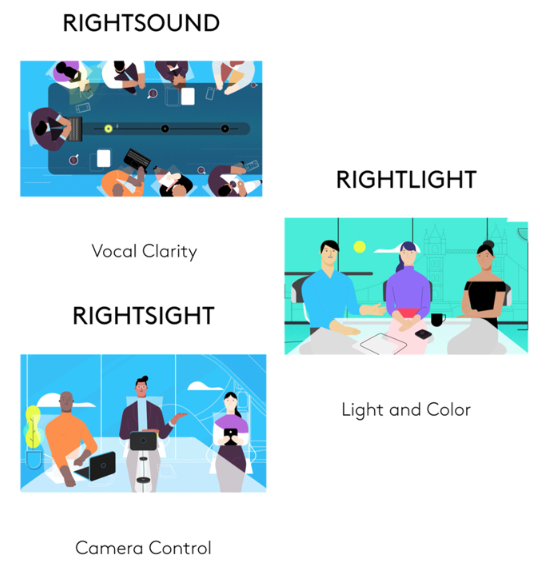
Logitech’s ecosystem, including solutions like Rally Bar, Tap, and Sight, is built to support AI-driven framing (RightSight), intelligent audio optimisation, simplified one-touch join experiences, and scalable deployments across small, medium and large rooms.
When rooms are reassessed strategically, organisations often discover incremental upgrades can significantly improve engagement, without full rebuilds.
Standardisation reduces IT burden
One of the biggest hidden costs in meeting room environments is inconsistency.
Different hardware in different rooms. Different user interfaces. Different support requirements.
Reassessing your meeting room technology provides an opportunity to standardise hardware platforms, management tools, room design frameworks, and support workflows.
With centralised monitoring platforms such as Logitech Sync, IT teams can remotely manage devices, monitor performance, and reduce reactive troubleshooting.
That shift, from reactive to proactive, is where real operational efficiency is gained.
It’s also about financial strategy
Technology refreshes don’t need to mean large capital spikes. Reassessment often leads to smarter decisions such as phased upgrades, repurposing viable hardware, aligning refresh cycles with Microsoft roadmaps, and exploring consumption-based or managed AV models.
For organisations balancing cost control with workplace expectations, timing matters.
A smarter path forward
Reassessing your meeting room technology isn’t about replacing everything at once.
It’s about understanding where your rooms sit in their lifecycle, which spaces require incremental upgrades, how to standardise for simplicity, and how to align refresh cycles with Microsoft Teams Rooms roadmaps.
With certified ecosystems from Logitech and the right deployment strategy, organisations can modernise confidently, without unnecessary disruption.
For businesses looking to reduce capital strain, structured models such as consumption-based or managed AV services provide a way to refresh meeting room technology while maintaining operational flexibility.
Because the real risk isn’t upgrading. It’s waiting until your rooms fall behind. Chat to our specialists on how we can help with your reassessments.
Last updated: 18/03/2026
Grace Tran - Marketing & Communications Manager