Hybrid work hasn’t reduced the importance of the office, it has changed it.
Meeting spaces are no longer designed purely for in-person collaboration. They’re now digital collaboration hubs, where remote and in-room participants must feel equally seen and heard. As highlighted in Logitech’s Rooms guide, 1 in 3 global employees are requesting better video conferencing equipment, making room optimisation a business priority, not a luxury.
The question isn’t whether you need to upgrade. It’s which Logitech Rooms bundle is right for your space?
Let’s break it down by room size, use case, and business need.
Small Rooms (up to 6 people)
Small meeting rooms and huddle spaces now account for the majority of video meetings, making them some of the most important spaces to optimise. These rooms are typically used for quick check-ins, focused collaboration, and informal discussions, but they still need to deliver a professional hybrid experience.
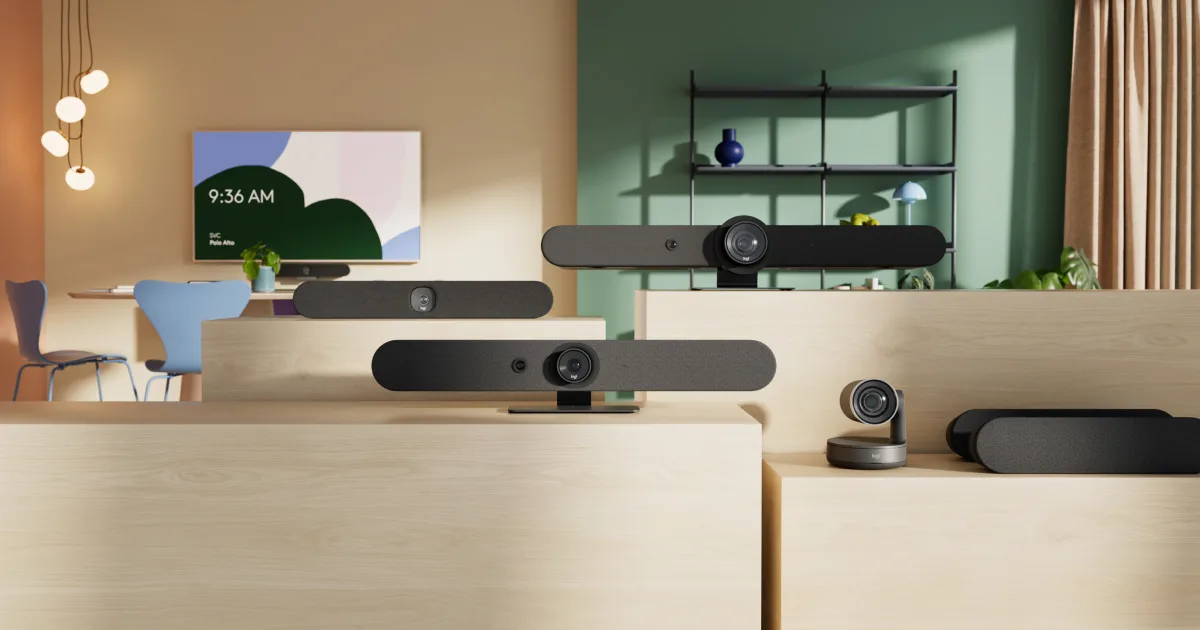
The Small Rooms bundle is designed for spaces that seat up to six people and need big-room performance without bulky equipment. It’s ideal for organisations that want meetings to feel as natural and engaging as in-person huddles, even when participants are remote. With limited space for cables and accessories, this bundle prioritises clean installs, simple deployment, and ease of use while still delivering high-quality video and audio.

Medium Rooms (up to 16 people)
Medium-sized rooms often form the backbone of workplace collaboration. They’re used for team meetings, client presentations, and hybrid workshops where clarity, reliability, and ease of use are essential.
This bundle is well suited to rooms that seat up to sixteen people and need studio-quality video to support productive discussions. It’s designed for organisations that want meetings to sound clear and natural, even while suppressing background noise, and for teams that value flexible mounting and configuration options. Medium rooms benefit from a balance of powerful audio, intelligent video framing, and streamlined meeting controls, making them ideal for frequent, high-value collaboration.

Large Rooms (16-46 people)
Large meeting rooms are often the most complex spaces in an organisation, supporting executive meetings, all-hands sessions, and high-stakes presentations. Without the right technology, these rooms can quickly become intimidating and difficult to use.
The Large Rooms bundle is designed for spaces that seat between sixteen and forty-six people and need broadcast-quality video and room-filling audio. It’s ideal for organisations that want to create an equitable meeting experience where everyone feels seen and heard, regardless of where they’re joining from. This solution supports professional presentation delivery and ensures that both in-room and remote participants can engage confidently and clearly.

Beyond hardware: the ecosystem matters
Choosing the right room bundle goes beyond selecting cameras and microphones. It’s also about creating consistency across spaces, reducing support tickets, and giving IT teams the ability to manage environments remotely.
Learn more about which microphone is best for your conference space here.
A well-designed ecosystem allows organisations to standardise deployments, simplify user experiences, and maintain visibility across all meeting rooms from a single management platform. It also enables flexibility, allowing employees to join meetings across different platforms when needed, while still maintaining a default, standardised experience.
How to decide which bundle is right for you
When assessing which room bundle is right for your space, it’s important to look beyond room size alone. Consider how many people regularly use the room, the types of meetings that take place, and whether the space is used for collaboration, presentations, or decision-making. Acoustic challenges such as glass walls or high ceilings can also influence the right solution, as can the need to standardise technology across multiple rooms or locations. Most importantly, your choice should align with your broader Microsoft Teams Rooms roadmap and lifecycle planning, rather than solving a short-term problem in isolation.
Download the ebook on which rooms bundle is right for you here.
The bottom line
Every meeting space has the potential to support better collaboration, regardless of its size.
From compact huddle rooms to large boardrooms, Logitech’s Rooms bundles are designed to align technology with how people actually work. By matching the right solution to the right space, organisations can simplify hybrid collaboration, reduce operational complexity, and ensure their meeting rooms continue to perform well over time.
If you’re unsure which bundle best suits your environment, a structured assessment can help clarify requirements and ensure your investment delivers long-term value, not just a short-term fix.
Speak to our team of experts today.
Last updated: 19/03/2026
Grace Tran - Marketing & Communications Manager